Google Workspace Business Starter vs Standard vs Plus: Which Plan Actually Fits Your Team?
-
 Mohit
Mohit - 09 Apr, 2026
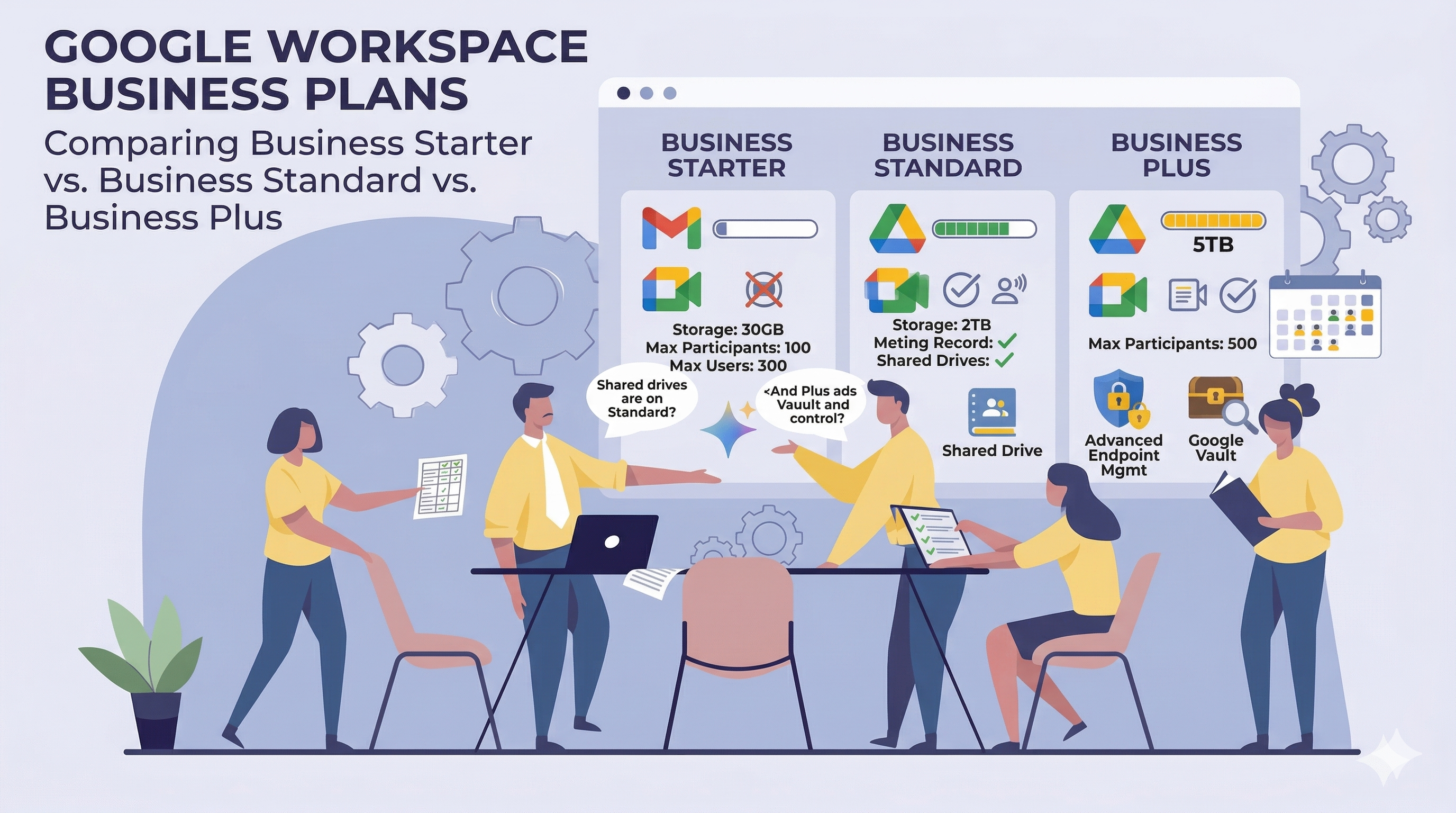
This guide goes deep on what actually separates Google Workspace Business Starter, Google Workspace Business Standard, and Google Workspace Business Plus Plans. Every section has a comparison table so you can see the differences at a glance, with context on why the distinctions matter in practice.
The 30-second summary
Before diving in, here’s the short version:
- Business Starter covers the full core suite — Gmail, Calendar, Drive, Docs, Chat, Meet, and more — but storage is limited, meetings cap at 100 participants, and several collaboration, security, and AI features are locked out.
- Business Standard is where most growing teams land. Meaningful storage, meeting recordings and transcriptions, Gemini AI across the full productivity suite, Gmail Security Sandbox, and a raft of Drive collaboration features make this a significant step up.
- Business Plus is built for organizations that need compliance archiving via Google Vault, enterprise device management, larger meeting capacity, and tighter session and access controls. It’s less about new collaboration features and more about administrative depth.
All three plans support up to 300 users. Beyond that, you’re in Enterprise territory.
Plans at a glance
| Business Starter | Business Standard | Business Plus | |
|---|---|---|---|
| Max users | 300 | 300 | 300 |
| Pooled storage per user | 30 GB | 2 TB | 5 TB |
| Max Meet participants | 100 | 150 | 500 |
| Google Vault included | ✗ | ✗ | ✔ |
| Meeting recording | ✗ | ✔ | ✔ |
| Meeting transcription | ✗ | ✔ | ✔ |
| Noise cancellation | ✗ | ✔ | ✔ |
| Attendance tracking | ✗ | ✗ | ✔ |
| Advanced endpoint management | ✗ | ✗ | ✔ |
| Gemini AI in Docs, Sheets, Slides, Drive | ✗ | ✔ | ✔ |
| Gemini AI in Gmail | ✔ | ✔ | ✔ |
| SAML app autoprovisioning | 3 apps | Unlimited | Unlimited |
| Secure LDAP | ✗ | ✗ | ✔ |
| Gmail Security Sandbox | ✗ | ✔ | ✔ |
| Cloud Search (Google services) | ✗ | ✔ | ✔ |
| 99.9% uptime SLA | ✔ | ✔ | ✔ |
Ready to get your team on Google Workspace? Sign up for Google Workspace using our referral link and choose the Business plan that fits your organization.
Service availability: what’s included on every plan
A lot of the Google Workspace core is available regardless of which Business plan you choose.
| Service / Feature | Starter | Standard | Plus |
|---|---|---|---|
| Gmail and Calendar | ✔ | ✔ | ✔ |
| Google Drive and Docs editors | ✔ | ✔ | ✔ |
| Google Meet (video conferencing) | ✔ | ✔ | ✔ |
| Google Chat and Chat Spaces | ✔ | ✔ | ✔ |
| Google Sites | ✔ | ✔ | ✔ |
| Google Tasks | ✔ | ✔ | ✔ |
| Google Keep (notetaking) | ✔ | ✔ | ✔ |
| Groups for Business | ✔ | ✔ | ✔ |
| Directory management | ✔ | ✔ | ✔ |
| AppSheet Core (no-code app platform) | ✔ | ✔ | ✔ |
| Colab (data science / ML, no user license required) | ✔ | ✔ | ✔ |
| Colab Pro / Pro+ (add-on) | ✔ | ✔ | ✔ |
| Gemini app with enterprise data protections | ✔ | ✔ | ✔ |
| Gemini for Google Workspace | ✔ | ✔ | ✔ |
| Google Workspace Studio | ✔ | ✔ | ✔ |
| Additional Google services | ✔ | ✔ | ✔ |
| Digital whiteboarding with Jamboard | ✔ | ✔ | ✔ |
| Google Cloud Search (Google services only) | ✗ | ✔ | ✔ |
| Google Vault (eDiscovery and archiving) | ✗ | ✗ | ✔ |
Google Vids note: Starter users have full access to generative AI features in Vids through at least May 31, 2026 as a limited-time rollout. Standard and Plus have permanent full access.
Storage and usage limits
Storage is pooled across the whole organization rather than allocated per individual user. The difference between Starter and the upper tiers is dramatic.
| Starter | Standard | Plus | |
|---|---|---|---|
| Pooled storage per user | 30 GB | 2 TB | 5 TB |
| Purchase additional pooled storage | ✔ | ✔ | ✔ |
| Max users | 1–300 | 1–300 | 1–300 |
| 99.9% uptime guarantee | ✔ | ✔ | ✔ |
| Standard Support | ✔ | ✔ | ✔ |
| Enhanced Support | ✗ | ✗ | ✗ |
To put the storage difference in concrete terms: a 20-person team on Starter has 600 GB pooled across everyone. That same team on Standard has 40 TB. For teams that record meetings, work with large files in Drive, or just accumulate attachments over time, Starter’s ceiling becomes a real constraint faster than expected.
User access options
These are consistent across all three plans.
| Feature | Starter | Standard | Plus |
|---|---|---|---|
| Supported browsers | ✔ | ✔ | ✔ |
| Access across devices (computers, phones, tablets) | ✔ | ✔ | ✔ |
| Offline access | ✔ | ✔ | ✔ |
| Microsoft Outlook integration | ✔ | ✔ | ✔ |
| IMAP and POP mail clients | ✔ | ✔ | ✔ |
Google Meet: the biggest day-to-day gap between Starter and Standard
For most teams, the Meet differences drive upgrade decisions first. The jump from Starter to Standard is substantial — recording alone changes how remote and async-heavy teams operate.
| Feature | Starter | Standard | Plus |
|---|---|---|---|
| Max meeting length | 24 hours | 24 hours | 24 hours |
| Max participants per meeting | 100 | 150 | 500 |
| External participants | ✔ | ✔ | ✔ |
| Secure meetings | ✔ | ✔ | ✔ |
| Screen sharing and presentations | ✔ | ✔ | ✔ |
| App for Android and iOS | ✔ | ✔ | ✔ |
| Dial-in (US and international numbers) | ✔ | ✔ | ✔ |
| Digital whiteboard | ✔ | ✔ | ✔ |
| Add Meet video to Microsoft Outlook | ✔ | ✔ | ✔ |
| Hand raising | ✔ | ✔ | ✔ |
| Raise a room’s hand (Meet hardware) | ✔ | ✔ | ✔ |
| Reactions | ✔ | ✔ | ✔ |
| Meet eCDN | ✔ | ✔ | ✔ |
| Generative AI in Meet | ✔ | ✔ | ✔ |
| Noise cancellation | ✗ | ✔ | ✔ |
| Breakout rooms | ✗ | ✔ | ✔ |
| Record meetings and save to Drive | ✗ | ✔ | ✔ |
| Polls | ✗ | ✔ | ✔ |
| Q&A | ✗ | ✔ | ✔ |
| Add co-hosts to meetings | ✗ | ✔ | ✔ |
| Control Slides presentations in Meet | ✗ | ✔ | ✔ |
| Transcribe meetings and save to Drive | ✗ | ✔ | ✔ |
| Set recording quality for screen shares | ✗ | ✔ | ✔ |
| Attendance tracking | ✗ | ✗ | ✔ |
| In-domain live streaming | ✗ | ✗ | ✗ |
| Client-side encryption for audio/video | ✗ | ✗ | ✗ |
Meeting recording is the single feature that drives more Starter → Standard upgrades than anything else. No recording means no async catch-up for remote teammates, no stored onboarding sessions, and no archive of important client calls. Attendance tracking — exclusive to Plus — is particularly useful for mandatory training sessions or any meeting where you need a documented record of who was present.
Gemini AI features: included everywhere, but distributed unevenly
All three Business plans include the Gemini app and Gemini for Workspace. The meaningful differences are in how deeply Gemini is integrated into the individual productivity apps.
Gemini app (all three plans)
| Feature | Starter | Standard | Plus |
|---|---|---|---|
| Enterprise-grade security and privacy | ✔ | ✔ | ✔ |
| Integration with Google Workspace apps | ✔ | ✔ | ✔ |
| Gems (custom AI personas) | ✔ | ✔ | ✔ |
| Image generation with people | ✔ | ✔ | ✔ |
| Canvas | ✔ | ✔ | ✔ |
| Audio Overviews | ✔ | ✔ | ✔ |
| File upload and advanced data analysis | ✔ | ✔ | ✔ |
NotebookLM (all three plans)
| Feature | Starter | Standard | Plus |
|---|---|---|---|
| Upload sources, create summaries, Audio Overviews, Q&A | ✔ | ✔ | ✔ |
Gemini in Gmail (all three plans)
| Feature | Starter | Standard | Plus |
|---|---|---|---|
| Help me write | ✔ | ✔ | ✔ |
| Side panel | ✔ | ✔ | ✔ |
| Contextual smart replies | ✔ | ✔ | ✔ |
Gemini in Google Chat (Standard and Plus only)
| Feature | Starter | Standard | Plus |
|---|---|---|---|
| Side panel | ✗ | ✔ | ✔ |
| Summarize conversations | ✗ | ✔ | ✔ |
| Automatic translation | ✗ | ✔ | ✔ |
Gemini in Google Meet (Standard and Plus only)
| Feature | Starter | Standard | Plus |
|---|---|---|---|
| Take notes for me | ✗ | ✔ | ✔ |
| Studio sound, studio look, studio lighting | ✗ | ✔ | ✔ |
| Watermarking | ✗ | ✔ | ✔ |
| Adaptive audio | ✗ | ✔ | ✔ |
| Translated captions | ✗ | ✔ | ✔ |
| Generate a background | ✗ | ✔ | ✔ |
Gemini in Google Docs (Standard and Plus only)
| Feature | Starter | Standard | Plus |
|---|---|---|---|
| Side panel | ✗ | ✔ | ✔ |
| Help me write | ✗ | ✔ | ✔ |
| Help me create an image | ✗ | ✔ | ✔ |
| Summarize a document | ✗ | ✔ | ✔ |
Gemini in Google Sheets (Standard and Plus only)
| Feature | Starter | Standard | Plus |
|---|---|---|---|
| Side panel | ✗ | ✔ | ✔ |
| Enhanced smart fill | ✗ | ✔ | ✔ |
Gemini in Google Slides (Standard and Plus only)
| Feature | Starter | Standard | Plus |
|---|---|---|---|
| Side panel | ✗ | ✔ | ✔ |
| Help me create an image | ✗ | ✔ | ✔ |
| Remove image backgrounds | ✗ | ✔ | ✔ |
Gemini in Google Vids (Standard and Plus only)
| Feature | Starter | Standard | Plus |
|---|---|---|---|
| Full access to AI features | ✗ | ✔ | ✔ |
Gemini in Google Drive (Standard and Plus only)
| Feature | Starter | Standard | Plus |
|---|---|---|---|
| Side panel | ✗ | ✔ | ✔ |
| Analyze PDFs | ✗ | ✔ | ✔ |
The pattern is consistent: Gemini in Gmail and the standalone Gemini app work on all plans. Everything inside Docs, Sheets, Slides, Vids, Drive, Chat, and the deeper Meet AI tools require Standard or Plus. For organizations that want AI embedded in the apps people use for actual output — not just in the chat window — this is the most significant Starter limitation.
Gmail: feature differences by plan
Gmail’s foundations — custom addresses, mailing lists, aliases, multiple domains, spam filtering, phishing protection, custom routing — are available on every plan. The differences sit in specific features.
Email addresses and mailing lists
| Feature | Starter | Standard | Plus |
|---|---|---|---|
| Custom email address (you@yourcompany.com) | ✔ | ✔ | ✔ |
| Additional addresses per user (aliases) | ✔ | ✔ | ✔ |
| Addresses at multiple domains | ✔ | ✔ | ✔ |
| Admin-controlled mailing lists | ✔ | ✔ | ✔ |
| User-controlled mailing lists | ✔ | ✔ | ✔ |
| Personalized email campaigns with mail merge | ✗ | ✔ | ✔ |
Email usage limits (same across all plans)
| Limit | Starter | Standard | Plus |
|---|---|---|---|
| Storage (shared with docs and photos) | 30 GB | 2 TB | 5 TB |
| Attachment size — sending | 25 MB | 25 MB | 25 MB |
| Attachment size — receiving | 50 MB | 50 MB | 50 MB |
| Recipients per message (To, Cc, Bcc) | 2,000 (500 external) | 2,000 (500 external) | 2,000 (500 external) |
| Unique recipients per day | 3,000 (2,000 external) | 3,000 (2,000 external) | 3,000 (2,000 external) |
Email security and compliance
| Feature | Starter | Standard | Plus |
|---|---|---|---|
| Junk email filtering and virus blocking | ✔ | ✔ | ✔ |
| Gmail ads turned off | ✔ | ✔ | ✔ |
| Custom filtering and content policies | ✔ | ✔ | ✔ |
| Email and chat retention policies | ✔ | ✔ | ✔ |
| Allowed IP addresses | ✔ | ✔ | ✔ |
| User-managed denylists | ✔ | ✔ | ✔ |
| Enforced compliance footers | ✔ | ✔ | ✔ |
| Option to disable IMAP and POP access | ✔ | ✔ | ✔ |
| Advanced phishing and malware protection | ✔ | ✔ | ✔ |
| Advanced email attachment scanning (Security Sandbox) | ✗ | ✔ | ✔ |
| Gmail Security Sandbox | ✗ | ✔ | ✔ |
| Vault for email/IM eDiscovery and archiving | ✗ | ✗ | ✔ |
| Gmail data loss prevention (DLP) | ✗ | ✗ | ✗ |
| S/MIME encryption for email | ✗ | ✗ | ✗ |
| Client-side encryption for email | ✗ | ✗ | ✗ |
| Gmail log search in BigQuery | ✗ | ✗ | ✗ |
| Gmail integration with 3rd-party archiving | ✗ | ✗ | ✗ |
| Use OCR to read images | ✗ | ✗ | ✗ |
Advanced email delivery options
| Feature | Starter | Standard | Plus |
|---|---|---|---|
| Catch-all address | ✔ | ✔ | ✔ |
| Email routing for split and dual delivery | ✔ | ✔ | ✔ |
| Inbound gateway | ✔ | ✔ | ✔ |
| Outbound gateway (entire organization) | ✔ | ✔ | ✔ |
| Outbound relay server (alternative From: addresses) | ✔ | ✔ | ✔ |
| Receiving from multiple POP addresses | ✔ | ✔ | ✔ |
Drive and Docs editors
The core editors — Docs, Sheets, Slides, Forms — are available on every plan. The differences are in collaboration depth, organizational controls, and Gemini AI integration inside the apps.
| Feature | Starter | Standard | Plus |
|---|---|---|---|
| Google Drive for desktop | ✔ | ✔ | ✔ |
| Turn Docs creation on or off | ✔ | ✔ | ✔ |
| Connected Sheets | ✔ | ✔ | ✔ |
| Advanced Drive logs and reports | ✔ | ✔ | ✔ |
| Advanced Drive sharing permissions | ✔ | ✔ | ✔ |
| Shared drives (membership, creation, external moves) | ✔ | ✔ | ✔ |
| Generative AI in Docs, Sheets, and Slides | ✔ | ✔ | ✔ |
| Proofread documents | ✔ | ✔ | ✔ |
| Shared drives (advanced sharing, access, storage limits) | ✗ | ✔ | ✔ |
| eSignature | ✗ | ✔ | ✔ |
| Smart chip data extraction | ✗ | ✔ | ✔ |
| Manage document approvals | ✗ | ✔ | ✔ |
| Manage Drive metadata (custom labels and fields) | ✗ | ✔ | ✔ |
| Organizational branding — custom templates | ✗ | ✔ | ✔ |
| Organizational branding — default templates and themes | ✗ | ✗ | ✔ |
| Drive inventory export | ✗ | ✗ | ✗ |
| Delegate access via Connected Sheets | ✗ | ✗ | ✗ |
| Drive data loss prevention (DLP) | ✗ | ✗ | ✗ |
| Trust rules for Drive sharing permissions | ✗ | ✗ | ✗ |
| Client-side encryption for Drive files | ✗ | ✗ | ✗ |
| Drive file suggestions in Chrome Browser address bar | ✗ | ✗ | ✗ |
Google Chat
Chat’s fundamentals are consistent across plans. A few admin controls and interoperability features vary by tier.
| Feature | Starter | Standard | Plus |
|---|---|---|---|
| Turn chat history on or off | ✔ | ✔ | ✔ |
| Set space history option for users | ✔ | ✔ | ✔ |
| Automatically accept chat invitations | ✔ | ✔ | ✔ |
| External chat (1:1 and group direct messages) | ✔ | ✔ | ✔ |
| Allow or restrict external chat | ✔ | ✔ | ✔ |
| Allow or restrict Chat apps | ✔ | ✔ | ✔ |
| Use discoverable spaces | ✔ | ✔ | ✔ |
| Turn external spaces on or off | ✗ | ✔ | ✔ |
| Chat Interoperability with non-Chat users (add-on) | ✗ | ✔ | ✔ |
| Control file sharing in Chat | ✗ | ✗ | ✔ |
| Automatically delete Chat messages org-wide | ✗ | ✗ | ✗ |
| Chat data loss prevention (DLP) | ✗ | ✗ | ✗ |
| Integrate Chat with 3rd-party archiving | ✗ | ✗ | ✗ |
Security and data management
This is where the plans diverge most meaningfully for IT and security administrators.
Core security policies
| Feature | Starter | Standard | Plus |
|---|---|---|---|
| 2-Step Verification enforcement | ✔ | ✔ | ✔ |
| Security keys for 2-Step Verification | ✔ | ✔ | ✔ |
| Set session length for Google Cloud services | ✔ | ✔ | ✔ |
| Collaboration with trusted external domains | ✔ | ✔ | ✔ |
| Basic data exports | ✔ | ✔ | ✔ |
| Enforced SSL connections | ✔ | ✔ | ✔ |
| Password monitoring and strength control | ✔ | ✔ | ✔ |
| Drive data protection insights report | ✗ | ✔ | ✔ |
| Set session length for all Google services | ✗ | ✗ | ✔ |
| Data loss prevention (DLP) | ✗ | ✗ | ✗ |
| Context-Aware Access (BeyondCorp) | ✗ | ✗ | ✗ |
| Cloud Identity Premium security management | ✗ | ✗ | ✗ |
| Advanced data exports | ✗ | ✗ | ✗ |
| Client-side encryption | ✗ | ✗ | ✗ |
| Assured Controls (compliance / sovereignty add-on) | ✗ | ✗ | ✗ |
3rd-party app integration and SSO
| Feature | Starter | Standard | Plus |
|---|---|---|---|
| SSO using Google as IdP | ✔ | ✔ | ✔ |
| SSO using a 3rd-party IdP | ✔ | ✔ | ✔ |
| App catalog of 200+ preconfigured SAML apps | ✔ | ✔ | ✔ |
| SAML app autoprovisioning (max number) | 3 | Unlimited | Unlimited |
| Secure LDAP: connect LDAP-based apps and services | ✗ | ✗ | ✔ |
Endpoint management
This section has the most significant gap between Standard and Plus. Most organizations don’t realize how much more device control Plus adds until they compare them directly.
Fundamental endpoint management (all three plans)
| Feature | Starter | Standard | Plus |
|---|---|---|---|
| Basic passcode enforcement (mobile) | ✔ | ✔ | ✔ |
| Google Credential Provider for Windows (standalone) | ✔ | ✔ | ✔ |
| Network management (excluding mobile) | ✔ | ✔ | ✔ |
| Basic mobile device management | ✔ | ✔ | ✔ |
| Fundamental management for computers | ✔ | ✔ | ✔ |
| Endpoint verification | ✔ | ✔ | ✔ |
| Company-owned device inventory (endpoints) | ✔ | ✔ | ✔ |
| Remote account sign-out | ✔ | ✔ | ✔ |
| Remote account wipe (mobile) | ✔ | ✔ | ✔ |
| Block devices | ✔ | ✔ | ✔ |
| Drive for desktop | ✔ | ✔ | ✔ |
| Basic device details (mobile) | ✔ | ✔ | ✔ |
| Basic endpoint details (computer and smart home devices) | ✔ | ✔ | ✔ |
| Basic device reports (Chrome and mobile) | ✔ | ✔ | ✔ |
| Public and private app management (Android) | ✔ | ✔ | ✔ |
Advanced endpoint management (Business Plus only)
| Feature | Starter | Standard | Plus |
|---|---|---|---|
| Strong passcode enforcement | ✗ | ✗ | ✔ |
| Mobile device security policies | ✗ | ✗ | ✔ |
| Android work profiles | ✗ | ✗ | ✔ |
| Advanced mobile management | ✗ | ✗ | ✔ |
| Zero-touch enrollment for Android | ✗ | ✗ | ✔ |
| Admin approval of devices | ✗ | ✗ | ✔ |
| Remote device wipe (full device, not just account) | ✗ | ✗ | ✔ |
| Windows device management | ✗ | ✗ | ✔ |
| Public iOS app management | ✗ | ✗ | ✔ |
| Android app runtime permissions | ✗ | ✗ | ✔ |
| Selectively distribute mobile apps to users | ✗ | ✗ | ✔ |
| Publish private Android web apps | ✗ | ✗ | ✔ |
| Managed Android app configuration | ✗ | ✗ | ✔ |
| Advanced device reports (mobile) | ✗ | ✗ | ✔ |
| Company-owned device inventory (Android) | ✗ | ✗ | ✔ |
| Devices log events | ✗ | ✗ | ✔ |
Enterprise endpoint management (not available on any Business plan)
| Feature | Starter | Standard | Plus |
|---|---|---|---|
| iOS data protection | ✗ | ✗ | ✗ |
| Mobile device certificates | ✗ | ✗ | ✗ |
| Context-Aware Access (device-level) | ✗ | ✗ | ✗ |
| Company-owned device inventory (iOS) | ✗ | ✗ | ✗ |
| Mobile device management rules | ✗ | ✗ | ✗ |
| BeyondCorp Alliance partner integrations | ✗ | ✗ | ✗ |
| Private iOS app management | ✗ | ✗ | ✗ |
The practical difference: Starter and Standard give you enough to wipe a lost phone’s Google account. Plus gives you actual enterprise-grade control — Android work profiles to separate personal and corporate data, zero-touch enrollment for bulk device deployment, full remote device wipe (not just account wipe), Windows device management, and granular app distribution policies.
For teams with BYOD policies, Android work profiles alone are often enough reason to move to Plus.
Reports and monitoring
Usage reports
| Feature | Starter | Standard | Plus |
|---|---|---|---|
| Highlights reports (metrics and trends) | ✔ | ✔ | ✔ |
| Apps-usage reports (organization wide) | ✔ | ✔ | ✔ |
| User and admin activity reports | ✔ | ✔ | ✔ |
| Carbon footprint report | ✔ | ✔ | ✔ |
| Audit and investigation tool / log event reporting | ✔ | ✔ | ✔ |
| Drive DLP data protection insights report | ✗ | ✔ | ✔ |
| Google Meet attendance reports | ✗ | ✗ | ✔ |
| Log event exports to Google Security Operations | ✗ | ✗ | ✗ |
| Export reports to BigQuery | ✗ | ✗ | ✗ |
| VirusTotal reports | ✗ | ✗ | ✗ |
| Work Insights reports for users | ✗ | ✗ | ✗ |
Log events available on all three plans
All three Business plans include the same set of log events in the audit and investigation tool.
| Log Event | Starter | Standard | Plus |
|---|---|---|---|
| Admin data action log events | ✔ | ✔ | ✔ |
| Admin log events | ✔ | ✔ | ✔ |
| Calendar log events | ✔ | ✔ | ✔ |
| Chat log events | ✔ | ✔ | ✔ |
| Chrome log events | ✔ | ✔ | ✔ |
| Chrome Sync log events | ✔ | ✔ | ✔ |
| Cloud Search log events | ✔ | ✔ | ✔ |
| Contacts log events | ✔ | ✔ | ✔ |
| Context-Aware Access log events | ✔ | ✔ | ✔ |
| Device log events | ✔ | ✔ | ✔ |
| Directory Sync log events | ✔ | ✔ | ✔ |
| Drive log events | ✔ | ✔ | ✔ |
| Groups Enterprise log events | ✔ | ✔ | ✔ |
| Groups log events | ✔ | ✔ | ✔ |
| Keep log events | ✔ | ✔ | ✔ |
| Secure LDAP log events | ✔ | ✔ | ✔ |
| Meet log events | ✔ | ✔ | ✔ |
| Meet recordings in Drive log events | ✔ | ✔ | ✔ |
| OAuth log events | ✔ | ✔ | ✔ |
| SAML log events | ✔ | ✔ | ✔ |
| User log events | ✔ | ✔ | ✔ |
| Vault log events | ✔ | ✔ | ✔ |
Log events not available on any Business plan
| Log Event | Starter | Standard | Plus |
|---|---|---|---|
| Access Transparency log events | ✗ | ✗ | ✗ |
| Chrome browser events | ✗ | ✗ | ✗ |
| Devices events | ✗ | ✗ | ✗ |
| Gmail log events | ✗ | ✗ | ✗ |
| Gmail messages | ✗ | ✗ | ✗ |
| Users events | ✗ | ✗ | ✗ |
Security dashboards and investigation tools
| Feature | Starter | Standard | Plus |
|---|---|---|---|
| Alert center (potential security issue notifications) | ✔ | ✔ | ✔ |
| Audit and investigation tool (basic log reporting) | ✔ | ✔ | ✔ |
| Security investigation tool (advanced: action-taking, automation, nested queries, saved investigations) | ✗ | ✗ | ✗ |
| Security dashboard reports | ✗ | ✗ | ✗ |
| Security health page | ✗ | ✗ | ✗ |
All security dashboard reports, the security investigation tool, and the security health page are Enterprise-only features. They are absent from all three Business plans.
What no Business plan includes
It’s worth being explicit about what’s absent from all three Business tiers, since these gaps are what push organizations toward Enterprise editions.
| Feature | Available on any Business plan? |
|---|---|
| Data loss prevention (DLP) for Gmail, Drive, or Chat | ✗ |
| Context-Aware Access (BeyondCorp conditional access) | ✗ |
| Client-side encryption | ✗ |
| Security investigation tool | ✗ |
| Security dashboard reports | ✗ |
| Security health page | ✗ |
| BigQuery export for reports | ✗ |
| Access Transparency log events | ✗ |
| Enhanced Support | ✗ |
| In-domain live streaming | ✗ |
| Gmail log search in BigQuery | ✗ |
| 3rd-party archiving for Gmail or Chat | ✗ |
| S/MIME email encryption | ✗ |
| iOS data protection (enterprise endpoint) | ✗ |
| Private iOS app management | ✗ |
| BeyondCorp Alliance partner integrations | ✗ |
| Assured Controls (compliance and sovereignty) | ✗ |
| AI classification in Drive | ✗ |
If DLP, conditional access, or the security investigation tooling are on your requirements list, Business plans won’t cover them — you’re looking at Enterprise tiers.
Summary: how to think about which plan fits
Rather than a simplistic “small/medium/large” framework, here’s a more useful way to make the call.
Start with Business Starter if:
- The core productivity suite (Gmail, Calendar, Drive, Docs, Chat, Meet up to 100 people) covers your team’s day-to-day needs
- Meeting recording, Gemini AI in Docs/Sheets/Slides, and advanced Drive features aren’t immediate requirements
- Storage at 30 GB pooled is workable for now, and you’re comfortable upgrading when that changes
Move to Business Standard if:
- Meeting recording and transcription matter — especially for remote, hybrid, or async-heavy teams
- You want Gemini AI working inside Docs, Sheets, Slides, Meet, Drive, and Chat (not just Gmail and the standalone Gemini app)
- Storage needs exceed what 30 GB pooled can realistically handle
- eSignature, document approvals, smart chip data extraction, or Drive metadata labeling would improve workflows
- Gmail Security Sandbox and advanced attachment scanning are security requirements
- Mail merge for personalized communications is a regular use case
Choose Business Plus if:
- Google Vault for compliance archiving, legal holds, or eDiscovery is a requirement — this alone is often the deciding factor
- Advanced endpoint management is needed: Android work profiles, zero-touch enrollment, full remote device wipe, Windows management
- Your infrastructure includes LDAP-based apps or services that need to authenticate against Google’s directory
- Attendance tracking for meetings is an operational or compliance requirement
- Meeting capacity of 150+ participants is regularly needed
- Unlimited SAML app autoprovisioning matters for your app integration footprint
Frequently asked questions
Can different users in the same organization be on different plans? Yes. Google Workspace allows per-user license assignment across plans in the same Admin console. A common pattern: most users on Standard, with admins and compliance-sensitive roles on Plus.
Can I upgrade mid-subscription without disruption? Yes. Upgrades take effect immediately, billing is prorated, and users gain access to new features right away. Downgrading is also possible, though access to higher-tier features is removed immediately.
Is there a user ceiling on Business plans? All three Business plans cap at 300 users. Organizations beyond that need Enterprise editions.
Can Starter and Standard organizations get Vault at all? Not bundled. Vault can be purchased as a standalone add-on for Starter and Standard users. Business Plus includes it as part of the plan.
How often do the Gemini features change? Frequently. Google has been expanding AI capabilities across the suite at a steady pace. The comparison above reflects the current state as of April 2026 — always check the official Business editions comparison page before finalizing a licensing decision.
Wrapping up
The difference between Business Starter, Standard, and Plus isn’t just about scale — it’s about which constraints matter to your team right now. Storage and meeting recording are usually what Starter users notice first. Security depth, Vault, and enterprise device management are what push organizations toward Plus.
Most teams end up on Standard and stay there until compliance requirements or device management complexity push them further. It covers the most ground for the most common needs. But the right answer depends entirely on what your team actually does and what your IT and compliance requirements genuinely demand.
Once you’ve made your decision, you can get started with Google Workspace directly via our referral link.
If your enterprise is running a split-delivery setup, read our guide on Google Workspace and Microsoft 365 Email Coexistence.
Feature availability reflects the Google Workspace Business plan lineup as of April 2026. Google updates plans and features regularly — always verify against the official Google Workspace Business editions comparison before making a purchasing or upgrade decision.